What is big data, really?
Past the marketing. "Big" means data that won't fit in one machine's RAM — or processing that takes hours on one box. Everything else is just data.
Written and reviewed by Shreyash Prashu Last reviewed
What you'll learn
- The honest definition of "big"
- Why the original three Vs framing has aged poorly
- When to reach for Spark, and when pandas/DuckDB is the right answer
Before you start
The whole MLOps section stood on something it never had to build: data, already cleaned, joined, and waiting. The feature store assumed a table; the training job assumed a dataset; the retraining window assumed millions of rows arriving on schedule.
We closed it by admitting the question underneath all of it — when the data is too big for a single computer, how do you process it at all? That question has a name, and this section is the answer. It begins, as the most useful things do, by puncturing the buzzword.
“Big data” used to mean petabytes, Hadoop clusters, and a $2M license. Today, it mostly means data that doesn’t fit on one machine — or processing that would take so long on one box that you’d rather pay for parallel compute. That’s it.
The marketing hasn’t caught up, but the practitioner definition is simple and useful.
The honest threshold
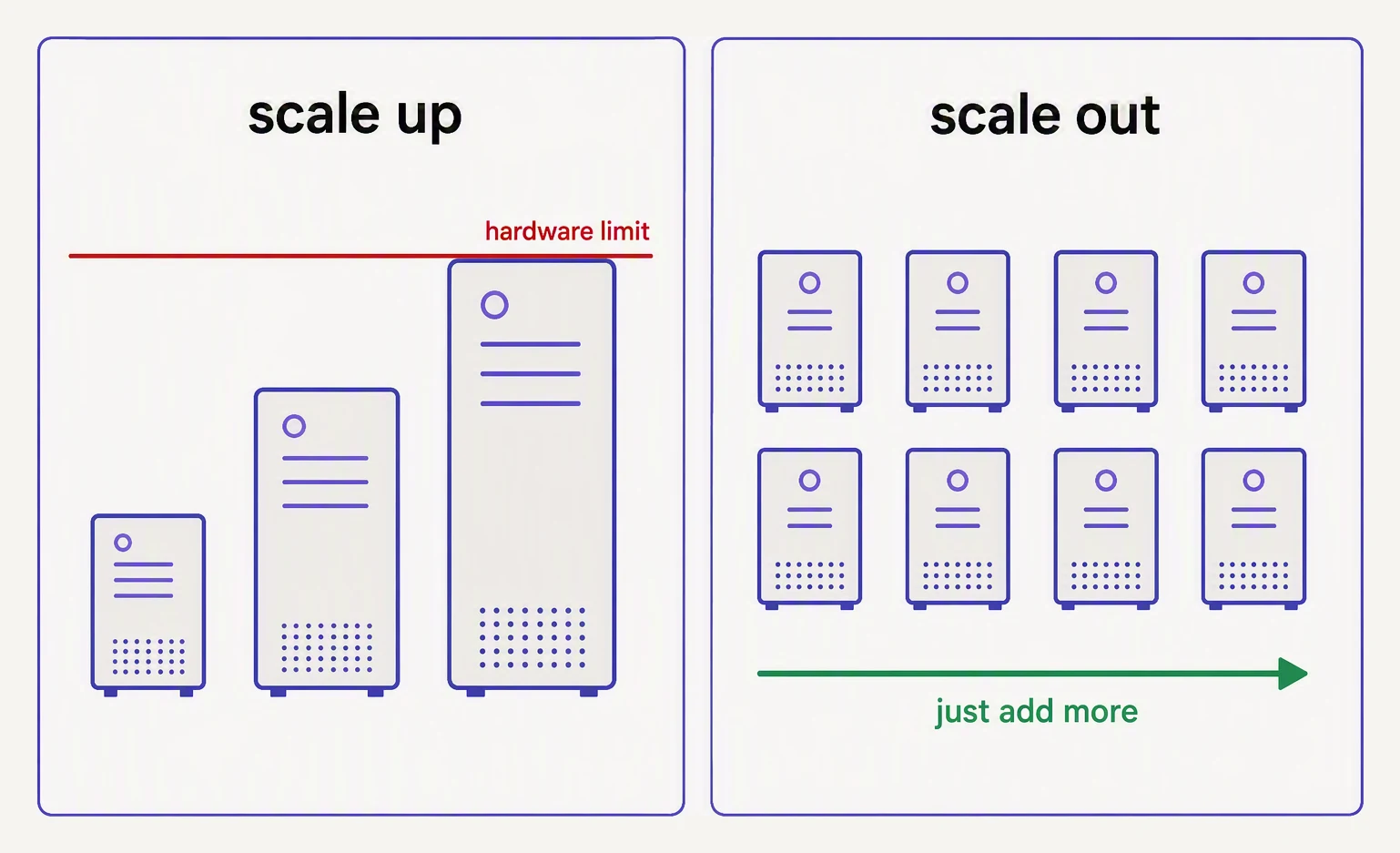
Big data is when the answer stops being “buy a bigger machine”.
A modern laptop has 16-64GB of RAM. A beefy cloud VM has 128-768GB.
Cheap parallel compute is one terraform apply away.
So the real threshold isn’t a number — it’s a question:
- Does the data fit in one machine’s RAM? If yes, use pandas or Polars or DuckDB. They’ll be faster than Spark for the same job.
- Does it fit on one machine’s disk, but not RAM? DuckDB or Polars with streaming. Still no Spark needed.
- Does it fit on no single machine at all? Now you need a distributed engine. Welcome to Spark.
10GB CSV — the canonical example
Imagine a 10GB CSV of clickstream events. Here’s how the same job feels on two stacks:
# pandas — works on a laptop with 32GB+ RAM, but you'll feel it
import pandas as pd

df = pd.read_csv("clicks.csv")           # 60s, peaks ~25GB RAM
top = (df.groupby("user_id")["price"]
         .sum()
         .nlargest(100))
# PySpark — same job on a cluster of 4 small workers
from pyspark.sql import SparkSession, functions as F
spark = SparkSession.builder.getOrCreate()
df = spark.read.csv("clicks.csv", header=True, inferSchema=True)
top = (df.groupBy("user_id")
.agg(F.sum("price").alias("total"))
.orderBy(F.desc("total"))
.limit(100))
top.show()For 10GB? pandas wins on a single beefy machine — no JVM overhead, no scheduling. For 1TB? Spark wins because pandas would simply run out of RAM.
The Spark code wins again at 10TB, 100TB, and so on — it scales horizontally (add more machines instead of buying a bigger one) by adding more workers. pandas can only scale up to the biggest single machine you can buy.
The three Vs — and why they aged poorly
Old textbooks frame big data around the 3 Vs: Volume, Velocity, Variety. Some authors added a fourth (Veracity) and a fifth (Value). It’s a fine acronym for an exam. It’s a bad lens for engineering.
The thing you actually optimize for is cost-per-query at a required latency. Volume matters only because it drives cost. Velocity matters only because it drives infrastructure choice (batch vs streaming). Variety matters only because schemas need maintenance.
Rephrased as engineering questions:
| 3-V word | The question your team is actually asking |
|---|---|
| Volume | ”How many cores and how much RAM do we need, and what’ll the bill be?” |
| Velocity | ”Is this batch-every-hour, micro-batch, or streaming?” |
| Variety | ”What’s the schema, and who owns it when it breaks?” |
You’ll see the Vs on slides. You’ll get paid for answering the questions in the right column.
Where Spark fits today
Spark is the dominant batch engine for data that’s too large for one machine. Concretely, you’ll see it for:
- ETL — turning raw events in S3 into clean Parquet/Delta tables
- Analytics — aggregating hundreds of GBs of fact tables nightly
- ML feature engineering — computing per-user rolling windows over years of history
- Backfills — re-processing 2 years of data when the schema changes
You’ll not see Spark used for sub-second OLTP queries, real-time dashboards (Trino or ClickHouse win there), or single-row lookups (Spark startup time alone disqualifies it).
A mental model for “partition”
Even if Spark is overkill for your data, the partition mental model from distributed systems is universal. You’ll meet it again in:
- Kafka topics (a topic has N partitions)
- DynamoDB / Cassandra (data sharded by key)
- ClickHouse (parts and partitions)
- BigQuery (clustering and partitioning)
Here’s a tiny Python sketch of how a partitioned groupBy works under
the hood — no Spark needed.
# Simulate distributed groupBy with 4 "partitions"
import hashlib

from collections import defaultdict

events = [
    ("u1", 10), ("u2", 5), ("u1", 7),  ("u3", 12),
    ("u2", 3),  ("u1", 4), ("u3", 8),  ("u4", 6),
]

# 1) Hash-partition each row into one of 4 buckets.
#    (A *deterministic* hash, so the same key always picks the same bucket.)
def partition_of(key, n=4):
    return int(hashlib.md5(key.encode()).hexdigest(), 16) % n

partitions = defaultdict(list)
for user, amount in events:
    partitions[partition_of(user)].append((user, amount))

print("--- partitions ---")
for p, rows in sorted(partitions.items()):
    print(f"partition {p}: {rows}")

# 2) Aggregate within each partition (in parallel, in real life)
results = defaultdict(int)
for rows in partitions.values():
    for user, amount in rows:
        results[user] += amount

print("\n--- aggregated ---")
for user, total in sorted(results.items()):
    print(f"{user}: {total}")
--- partitions ---
partition 0: [('u1', 10), ('u1', 7), ('u1', 4), ('u4', 6)]
partition 2: [('u3', 12), ('u3', 8)]
partition 3: [('u2', 5), ('u2', 3)]
--- aggregated ---
u1: 21
u2: 8
u3: 20
u4: 6There’s the whole trick. All three of u1’s rows landed together in partition 0 — because the hash of "u1"
is the same every time, so the same key can never split across buckets.
That single property, consistent hashing, is what lets each partition sum its own users independently and still
get the right global answer: u1: 21 (10 + 7 + 4), and so on. (Partition 1 stayed empty, which is fine — real
clusters tolerate uneven buckets, a wrinkle called skew that gets its own lesson later.)
Spark does exactly this, only it runs the per-partition work on a thousand machines at once instead of in your for
loop.
In one breath
“Big data” isn’t a number of bytes — it’s the threshold where data no longer fits on one machine’s RAM (or processing it on one box takes so long you’d rather pay for parallel compute).
Below that line, pandas, Polars, or DuckDB beat Spark by skipping JVM and scheduling overhead. Above it, Spark wins because it scales horizontally (add machines, not a bigger one).
The old 3-Vs framing is exam fodder. The real questions are cost-per-query, batch-vs-streaming, and who owns the schema. The one idea that survives every engine is the partition: hash each key to a bucket so the same key always lands together, then aggregate buckets independently and in parallel.
Practice
Before the quiz, apply the honest threshold to three jobs and name the right tool for each:
- (a) a 30 GB fact table on a 128 GB-RAM machine
- (b) nightly ETL over 5 TB of raw logs
- (c) a sub-second lookup of one user’s record
Then apply the partition insight from the sketch: if partition_of used a non-deterministic hash — Python’s
default hash() on strings is randomized per process — which line of the output would still be correct, and which
would silently break, and why?
Quick check
A question to carry forward
We just drew the line — past one machine, you need a distributed engine — and waved at Spark on “a thousand machines.” But notice everything that hand-wave skipped.
A thousand machines is not one big computer; it’s a thousand separate boxes, each with its own disk that can die,
its own memory, its own failures, connected only by a network. The partition sketch ran tidily in a single for
loop.
Spread it across a real cluster and a hundred new problems appear:
- where does a file that’s bigger than any single disk actually live?
- When one box dies mid-job, how is the data not lost?
- Who decides which of the thousand machines runs which piece of work?
None of that is obvious, and none of it was invented by Spark — Spark inherited it.
So the question to carry forward is the one that comes before any line of PySpark:
What was the first system to make a thousand commodity machines behave like one giant, fault-tolerant computer for storing and processing data — and what are its parts, the ones every engine since has either reused or replaced?
That system is Hadoop, and it is the next lesson.
Practice this in an interview
All questionspandas operates in-memory on a single machine, making it fast and simple for datasets under a few gigabytes. Spark distributes computation across a cluster, handles terabyte-scale data, and integrates with cloud storage — but adds significant overhead for small data. The crossover point is roughly when your data no longer fits in RAM or when processing time on a single machine becomes unacceptable.
Parquet is a columnar, compressed format optimized for analytical reads — only the queried columns are scanned. Avro is row-oriented, schema-embedded, and optimized for write-heavy pipelines and Kafka serialization. CSV is human-readable but schema-less, uncompressed, and slow at scale — use it only at system boundaries where a downstream tool requires it.
RDD is the low-level, type-safe distributed collection with no schema knowledge. DataFrame adds a named-column schema on top, enabling the Catalyst optimizer and codegen — but loses compile-time type safety. Dataset merges both worlds: it carries a schema and passes through Catalyst while remaining statically typed in Scala/Java.
Narrow transformations compute each output partition using data from exactly one input partition — no data moves across the network. Wide transformations require data from multiple input partitions, forcing a shuffle across the network, which is the most expensive operation in a Spark job.